4 min read · Pleroma Commerce · Tutorial
In short
Lists of "secret Claude commands" such as /ghost, /10x or /godmode circulate on social media. They are not hidden features: in the Claude app a word with a slash in front is still just a word, and Claude guesses what you meant. The guess is often good, which is why the lists seem to work. To make shortcuts reliable, write them down once: in your preferences or a project's instructions in the Claude app, or as real custom commands in Claude Code. Below are ten shortcuts we use in e-commerce work, with the full instruction behind each one.
In this article
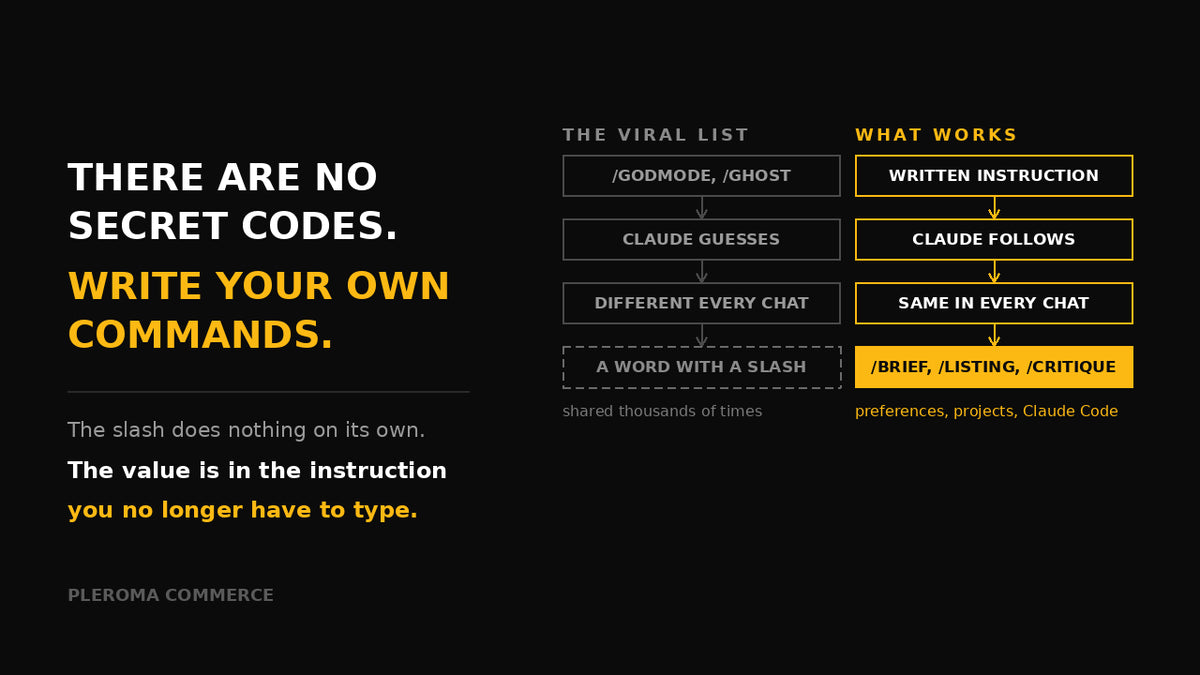
A graphic doing the rounds on Facebook promises eighteen "secret prompt codes" for Claude: /brief for short answers, /ghost for human-sounding text, /godmode for an "aggressive, powerful" mode. It is shared thousands of times because it looks like a cheat sheet for a hidden menu.
There is no hidden menu. But the idea underneath, short commands that save you from typing the same instruction every day, is a good one. You just have to build them yourself.
What the "secret codes" really are
In the Claude app, typing /brief does not flip a switch. Claude reads it as the word "brief" with a slash in front and infers that you probably want a short answer. Nothing is unlocked and no mode changes. /godmode does not give Claude extra capabilities; at best it nudges the tone.
That has two practical consequences. The result varies from chat to chat, because each time Claude is guessing. And vague codes produce vague results: /ghost could mean "sound human", "stay hidden" or "write anonymously".
Why they sometimes work
Language models are good at reading intent from short cues. /compare followed by two options will usually get you a comparison, because the word says exactly what you want. The shortcut works as well as the word is unambiguous, and no better. The moment you need something specific, such as a table, a word limit or a particular tone, a one-word code stops being enough.
Make shortcuts reliable in the Claude app
Define each shortcut once, in writing, where Claude will always see it. In the Claude app there are two places for that: your personal preferences in Settings, which apply to every chat, and the instructions of a Project, which apply to every chat inside that project. Add a short list like this:
When a message starts with /brief, answer in three sentences at most.
No preamble, no summary, no offers of further help.

When a message starts with /critique, review the text as a sceptical
senior operator: most important problems first, a concrete fix for each,
no praise.
From then on /brief means exactly what you wrote, in every chat. Keep the list short, five to ten commands. A list of forty turns into noise that you will not remember either.
Real slash commands in Claude Code
Claude Code, the command-line version for working on files and code, does have real slash commands. Some are built in, such as /help and /compact. You can also add your own: a Markdown file at .claude/commands/brief.md or a skill at .claude/skills/brief/SKILL.md creates the command /brief, and both work the same way[1]. The file content is the instruction Claude follows when you type the command.
Put the file in the project folder and the whole team gets the same command. Put it in the .claude folder in your home directory and it works in all your projects.
Ten shortcuts for e-commerce work
These are the ones we actually use. Copy the instruction, not just the name: the instruction is what does the work.
| Shortcut | Instruction behind it |
|---|---|
/brief |
Answer in three sentences at most. No preamble, no summary, no offers of further help. |
/listing |
Write a marketplace listing from the specs I paste: title within the channel's character limit with the main keyword first, five benefit-led bullet points, a description, and a list of missing attributes. Never invent a spec. |
/compare |
Put the options I list side by side in a table: cost, time to launch, risk, what it needs from my team. End with one line: which you would pick and why. |
/critique |
Review what I paste as a sceptical senior operator. List what is wrong or weak, most important first, with a concrete fix for each. No praise. |
/risks |
List what could go wrong with this plan: likelihood, impact, early warning sign and mitigation. Include the risks I have not mentioned. |
/checklist |
Turn this into a step-by-step checklist with an owner and a done-when condition for each step. |
/reply |
Draft a customer-service reply in our brand voice: short, polite, specific, one clear next step. Flag anything that needs a human decision (refunds, exceptions). |
/localise |
Rewrite this for the [market] buyer: native language, local units, payment and delivery expectations, local search terms. Do not translate word for word. |
/numbers |
Show the calculation behind every figure in a table, with the assumptions written out, so I can check them. |
/email |
Turn my notes into an email to a business contact: subject line, three short paragraphs, one ask. British English unless I say otherwise. |
Adapt the wording to your business: your channels, your brand voice, your limits. The value is not in the slash. It is in the instruction you no longer have to type.
Pleroma Commerce
Want AI working inside your operation, not just in a chat window?
We build AI agents and automations for listings, customer service and reporting, with guardrails and a named owner for each one.
See AI Operations →Sources
- Claude Code documentation, "Extend Claude with skills" (custom commands and skills). code.claude.com